 Secret Vault
Forgot your Secret Vault PIN? What you can check
Updated
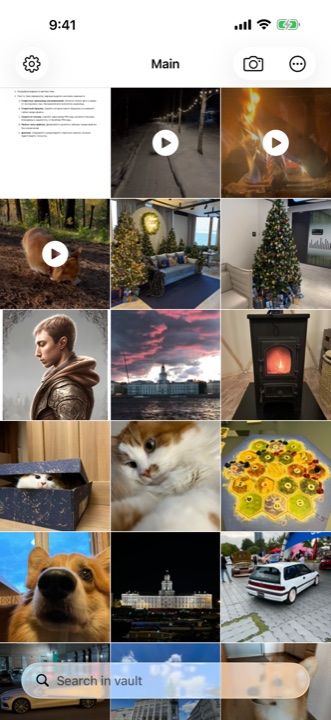
Secret Vault has no option to recover a forgotten PIN. If your vault is locked, look for originals or copies you previously saved outside the app. If it is still open, export important files first. Do not delete the app or reset its data in an attempt to recover the PIN.
Check which app you have
This guide is for Secret Vault on iPhone and iPad. Use the link below to check that it matches your app. Other vault apps with similar names may have different recovery options.
What the PIN recovery limit means
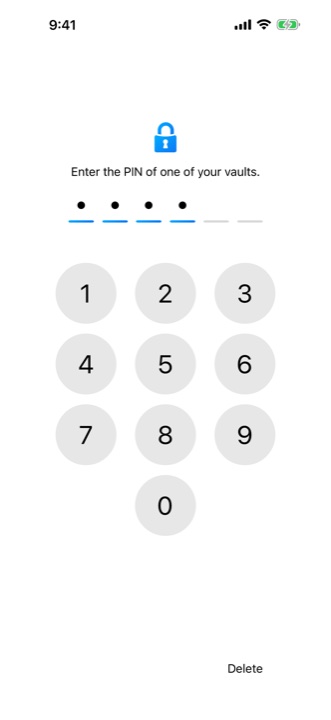
Secret Vault's PIN screen has no built-in way to email you a forgotten code or replace it with a new one while keeping access to a locked vault. Buying Premium does not add PIN recovery.
The option to change a PIN in settings applies to a vault you already have open. It does not help when you are locked out and cannot remember the code. The developer can explain how the app works, but contacting support does not replace the PIN.
Look for photos and files you saved elsewhere
Start where the files were before you imported them. Originals may still be in Photos or Files. Then check the places where you saved exported copies. A file outside the app can be opened separately, but finding it does not recover the PIN or unlock the vault.
- Check Photos, including the Hidden album if you previously moved pictures there.
- Look for original documents and saved copies in Files and on your computer.
- If you previously exported the vault as a ZIP, find the saved archive and check its contents.
- Open the photos and documents you find, and play the videos. Check for the specific files you need: an older copy may be missing recent additions.
If you recently deleted the originals from Photos
Check the Recently Deleted album in Photos. Apple says deleted photos and videos stay there for 30 days. If the items you need are still available, select them and use Recover. Items permanently removed from that album cannot be recovered through it.
With iCloud Photos, deleting an item also deletes it on other devices using the same Apple Account. A second iPhone sharing that library is therefore not an independent saved copy. This check is for originals in Photos; it does not unlock Secret Vault.
If your vault is still open
While you can still access the files, save important ones outside the vault before leaving it. This is also worth doing in advance, while you remember your PIN. Export the files you need, or use settings to export the current vault's contents as a ZIP.
Save the export to your chosen location and open the files from there. A Secret Vault ZIP is not protected by the vault's PIN and has no password added during export. Choose where to store it with that in mind. It is a copy of files, not a guaranteed way to restore every vault, PIN and setting.
Once you have checked the copies, you can change the PIN in the open vault's settings. Remember the new code or keep a record somewhere you can access without opening this Secret Vault.
What to tell the developer
If you are unsure what is happening on screen, email rks.vault@gmail.com. Include your device model, iOS version and app version if you know it. Explain whether you see the PIN screen, an error message or can still view your files.
Do not send your PIN, personal photos, documents or vault contents. Start with a text description without personal data. Support can answer questions about the app's behavior; recovery of a forgotten PIN is not available.